Inactive cam model pages: keep, noindex, redirect or remove
Inactive cam model pages pile up: platforms keep tens of thousands of profiles for performers who stopped streaming long ago. A lifecycle that decides what each page returns, and why the easy answer, redirecting everything to the homepage, backfires.
- Topic
- Platforms
- Reading time
- 6 min
- Last checked
- Sections
- 16
The short answer
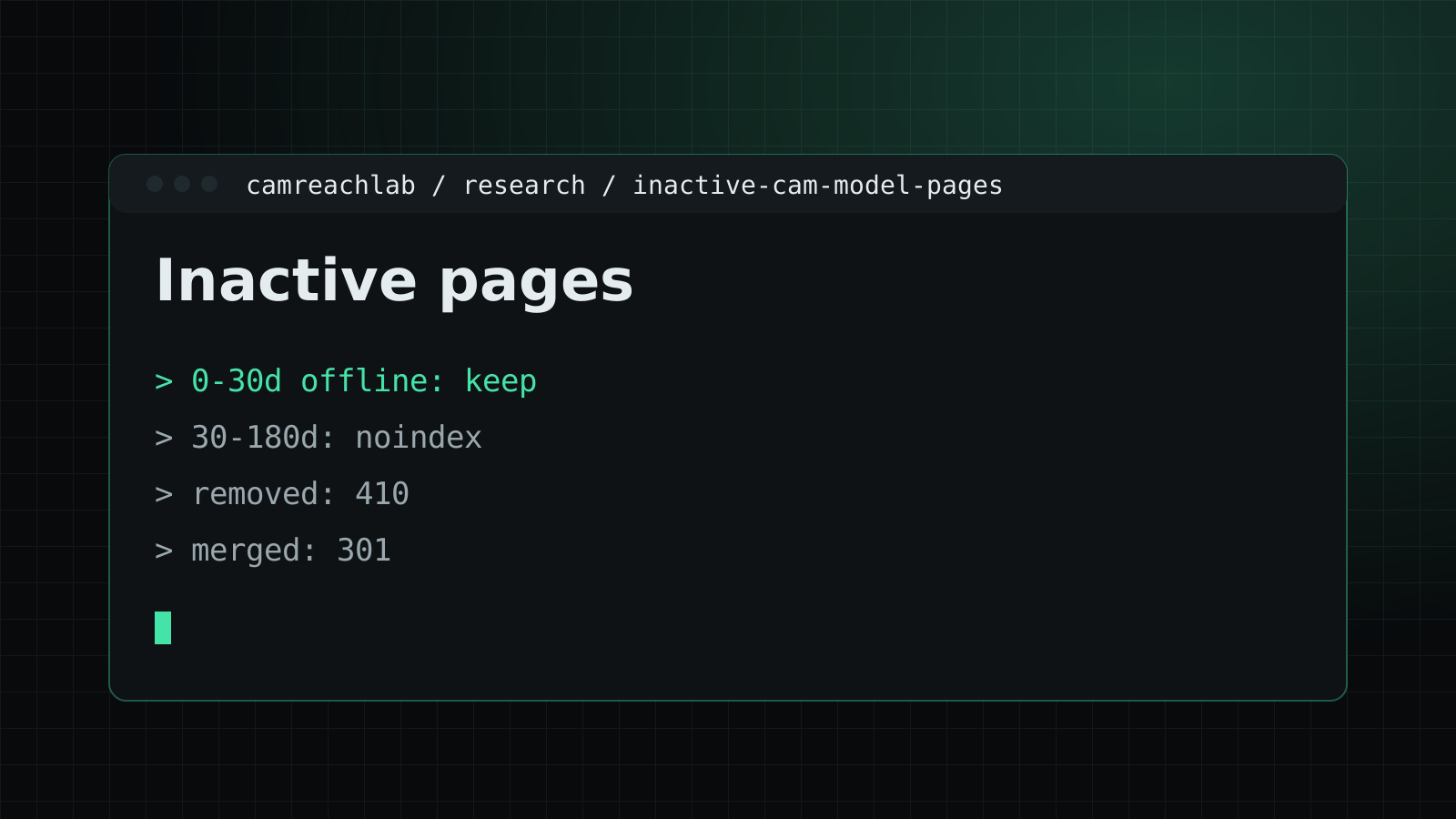
Model pages need a lifecycle, decided once and applied automatically. Offline but active: keep the page, full and indexable. On a break: keep it, say so. Inactive for months: keep it for returning fans, but take it out of the index and the sitemap. Removed or deleted at the performer's request: return 410 and remove images. Redirect only when another page truly replaces the profile, never to the homepage by default.
Why this piles up on cam platforms
Performers join easily and leave quietly. Few close their account; they simply stop streaming. After a few years, a platform can have more inactive profiles than active ones, each a thin page with an old thumbnail and a "currently offline" badge that has not changed in months.
Those pages cost crawling, sit in the index as low-value URLs, and make the site look emptier than it is. But deleting them all has its own cost: some performers come back, and the old address holds whatever links and history the profile built.
A lifecycle to start from
| State | Response | Index and sitemap | Page shows |
|---|---|---|---|
| Active, offline right now | 200 | Indexed, in sitemap | Bio, schedule, recent activity, similar performers |
| On a break the performer announced | 200 | Indexed | A clear note and expected return, plus the usual profile |
| Inactive for a long time | 200 | noindex, out of sitemap, fewer links | Bio and a notice, with links to similar performers |
| Merged into another profile | 301 | Target indexed | Redirect to the profile that replaces it |
| Removed or deleted on request | 410 | Removed | A short "no longer available" message |
Set the "long time" threshold from your own data, not a rule of thumb. Look at how long returning performers were usually away before they came back, and put the line just past that.
Why homepage redirects backfire
The tempting shortcut is to send every retired profile to the homepage or a big category, hoping to keep some ranking value. Google's John Mueller has said for years that redirects to the homepage or to unrelated pages can be treated as soft 404s. The old URL drops out anyway, and nothing is passed on.
It is also a poor experience. Someone who searched for a specific performer and lands on a generic homepage has no idea what happened. A 410 with a short message, or a genuinely related page, is honest with both people and search engines.
Removal requests and privacy
Some performers leave and want every trace gone. That request comes before any SEO consideration. Remove the profile and its images from your servers and CDN, return 410, and take the URL out of sitemaps and internal links the same day.
A 410 is removed from Google's index when the URL is next crawled, which can take a while. Search Console's Removals tool can hide a URL from results temporarily in the meantime. If a performer's personal details are showing in search, Google's "Results about you" tool is another route they can use themselves.
Keep a record of removals so the same profile is not recreated by an import or a partner feed later. White-label sites that syndicate profiles need the same removal, which is part of the duplicate problem covered in our indexation research.
Performers who come back
Many performers take breaks and return. Keep their page live with a clear "not currently online" state and the last known schedule for a set period, so a returning performer keeps their history and links. Decide the period in advance, for example six months, and apply it to everyone.
When a studio leaves
When a studio ends its relationship with a platform, dozens of performer pages may change at once. Handle them as a batch: confirm with the studio which performers continue independently, move or redirect only where the same performer has a new page, and return a clear gone status for the rest. A sudden pile of soft errors after a studio leaves is a common cause of indexation drops.
The removals tool is not a fix
Google's removals tool hides a URL temporarily; it does not change what the page returns. Use it for urgent privacy cases, and fix the page's status at the same time, or the URL will come back when the temporary removal expires.
Privacy requests in the UK and EU
Performers in the UK and EU can ask for personal data to be erased under data protection law. When a former performer asks for their page to go, remove it, return not found or gone, take it out of sitemaps and internal links, and request removal of cached copies. Record what was done and when.
Status codes at a glance
| Situation | Usual response |
|---|---|
| On a break, expected back | 200 with an offline state and schedule |
| Left, with a new page elsewhere on the site | 301 to the new page |
| Left for good | 410 or 404 |
| Asked to be removed | 410, removed from sitemaps and links the same day |
Clearing a backlog
Platforms often find tens of thousands of old performer pages at once. Work in batches: start with the oldest pages with no traffic and no links, apply the agreed status, watch the indexing report for a few weeks, then move to the next batch. Keep a record of each batch so the effect can be judged.
Telling performers what happens
Explain the policy for inactive pages in the performer agreement: how long a page stays after the last show, what happens when they leave and how to ask for removal. Clear rules prevent disputes and build trust with performers.
Inactive pages and SafeSearch
Old profiles sometimes keep explicit thumbnails long after a performer leaves, which can affect how SafeSearch classifies the whole site. Clearing inactive pages properly removes those images from search too.
Inactive pages in sitemaps
Remove pages from sitemaps the moment their status changes to gone, and keep offline-but-active pages listed with accurate dates. Automating this from the same status field avoids drift.
Where to start
Count profiles by days since the last stream: under a week, under a month, under six months, and older. On an established platform, that last group may well be the largest and the least visited. Apply the inactive rule to it first, then fix the offline state of active profiles so they never look empty, which our research on model profile SEO covers. Status codes for every state are set out in technical cam SEO, and the crawl savings show up in the logs described in our crawl budget research.
Where these facts come from
These are the official homes of the bodies named above; their pages carry the latest wording.
Questions teams ask
Should a removed profile redirect to the homepage?
No. Google has long said that redirects to the homepage or to unrelated pages can be treated as soft 404s, so the redirect passes nothing on. Return 410, or redirect only to a page that truly replaces the profile.
A performer asked us to delete their profile. What should we do?
Remove the page and its images promptly, return 410, and take it out of sitemaps and internal links. If it needs to disappear from Google fast, the Removals tool in Search Console can hide it temporarily while the 410 takes effect.
What if an inactive performer comes back?
Bring the profile back on the same URL. That is the main reason to keep inactive pages rather than delete them: history and links stay with the address.