Cam site crawl budget: where Googlebot really spends its time
Webcam platforms tick every box in Google's crawl budget guide. The usual suspects are filters and sort orders, but schedule calendars and anti-scraping rules can cost just as much.
- Topic
- Platforms
- Reading time
- 6 min
- Last checked
- Sections
- 6
The short answer
Crawl budget is a real constraint on most webcam platforms. They have huge numbers of URLs, many change every day, and a large share are filter, sort and search variations of the same listings. On top of that, cam sites have two costs other sites rarely see: schedule calendars that create endless date URLs, and bot protection that answers Googlebot with errors and slows crawling for the whole site. Server logs show which of these you have.
Does it apply to your site?
Google says its crawl budget guidance is aimed at very large sites whose pages change weekly, sites with tens of thousands of pages that change daily, and sites where much of the page indexing report sits under "Discovered, currently not indexed". A mid-sized cam platform usually matches all three: thousands of profiles whose status changes by the hour, and a long tail of URLs Google has found but not fetched.
A single model site does not need to worry about any of this. For platforms and studios, it is often the difference between new profiles being found in a day and in a month.
The four usual leaks
| Leak | What it looks like in logs | Typical fix |
|---|---|---|
| Filters and sort orders | Thousands of requests to ?sort=, ?online= and tag combinations | No crawlable links to sorts; block filter patterns once they are out of the index |
| Schedule calendars | Requests for dates months or years ahead, one URL per day per performer | One schedule page per performer, not a URL per date |
| Internal search | Search result URLs with odd or spammy queries | Disallow search result URLs in robots.txt and never link to them |
| Stale profiles | Heavy crawling of accounts inactive for months | A clear inactive-page rule and removal from sitemaps |
Google's own list of causes for sudden crawl spikes matches this closely: faceted navigation and sorting, and calendars with large numbers of date URLs. On a cam site, a "book a private show" or schedule widget that links forward day by day is the calendar problem in disguise.
Bot protection that slows Googlebot
Cam platforms are scraped constantly, so most run rate limits or a bot-protection service. That is sensible, until the rules catch Googlebot. Google's documentation explains that when it meets a large number of 500, 503 or 429 responses, it reduces the crawl rate for the whole hostname, including the pages that return content normally. The rate recovers only after the errors stop.
So an anti-scraping rule that throttles "too many requests" can quietly cut crawling of every profile on the site. Check the logs for error codes served to verified Googlebot, confirm Googlebot by reverse DNS rather than by user agent alone, and exempt it from the throttle. The same check belongs in any review of age or geo walls, covered on our platform SEO page.
Google lets site owners ask for a lower crawl rate but not a higher one. More crawling of the right pages has to come from wasting less on the wrong ones and keeping responses fast.
Reading the logs
Search Console's Crawl Stats report is a good start: it breaks requests down by response code, file type and purpose. For decisions, you need the server logs themselves. Take thirty days, keep only verified Googlebot requests, and group every URL by pattern: profile, category, tag combination, sort, search, schedule, asset. Then compare each group's share of requests with its value.
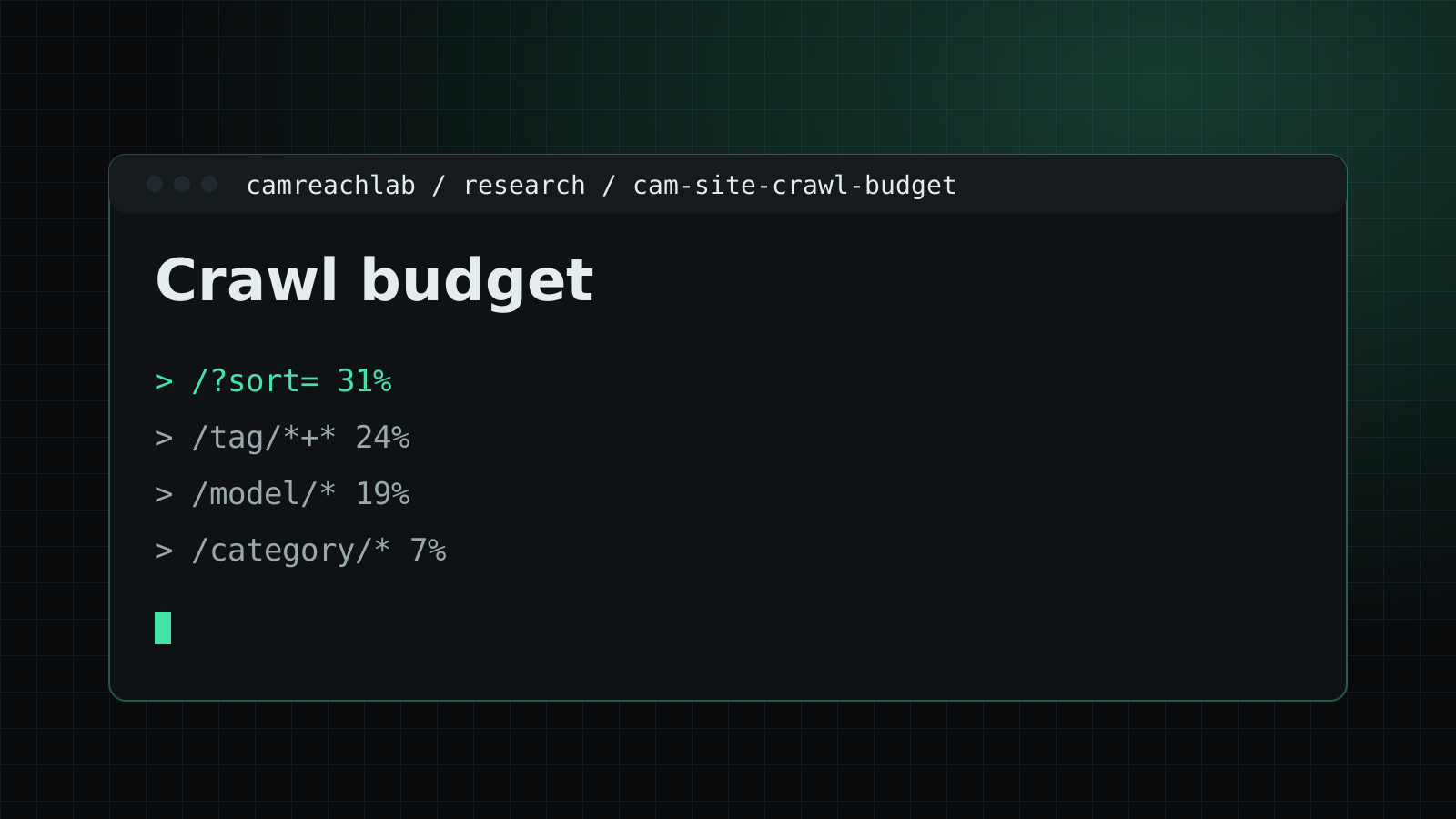
When crawl budget is the problem, that first table tends to show it plainly: a small group of pages earns the traffic, while most requests go elsewhere. Fixes then follow in order of cost, one pattern at a time, with a few weeks of fresh logs after each change.
Where to start
Start with the error codes. Crawl lost to throttling affects every page, so it is the cheapest win. Then remove crawlable links to sort orders, then deal with calendars and search, then stale profiles. Which filter pages deserve to stay indexable is a category decision, covered in category SEO and our research on category pages. Controls such as robots.txt and noindex are set out in technical cam SEO, and the knock-on effect on indexing is in our indexation research.
Questions teams ask
Can we ask Google to crawl our site more?
No. Google lets site owners request a lower crawl rate, not a higher one. The way to get more of the right pages crawled is to stop spending crawl on the wrong ones and keep the server fast.
Our bot protection blocks scrapers. Is that a problem?
It can be, if it also answers Googlebot with 429 or 503 codes or a challenge page. Google slows crawling for the whole hostname when it sees many of those responses, including for your good pages. Verify real Googlebot by reverse DNS and let it through.
Does noindex save crawl budget?
No. Google still has to fetch a page to see its noindex tag. It keeps the page out of the index but does not stop the request.